FIELD NOTE // CLOUDFLARE
I Gave My Bookmarks a Home
The problem with my links
I have personal pages on GitHub, YouTube and Twitch, but I did not create them all with the same username. In some cases, the name I wanted was already taken, so I ended up with a different nickname and a different URL on every platform.
Every time someone asks me for one of my links, I have the same small problem: I know I have the page, but I can never remember the exact address.
My bookmarks were not much better. I saved useful websites in Firefox on my personal computer, other links in DuckDuckGo on my iPhone, and probably a few more in Microsoft Edge on my work laptop.
Moving bookmarks between browsers and devices works, but it is not exactly the kind of task I want to spend time thinking about. I wanted one place I could reach from anywhere.
A home for my shortcuts
I had recently bought a personal domain, and I was already using it for custom email addresses. So I started wondering: why not use it for my links too?
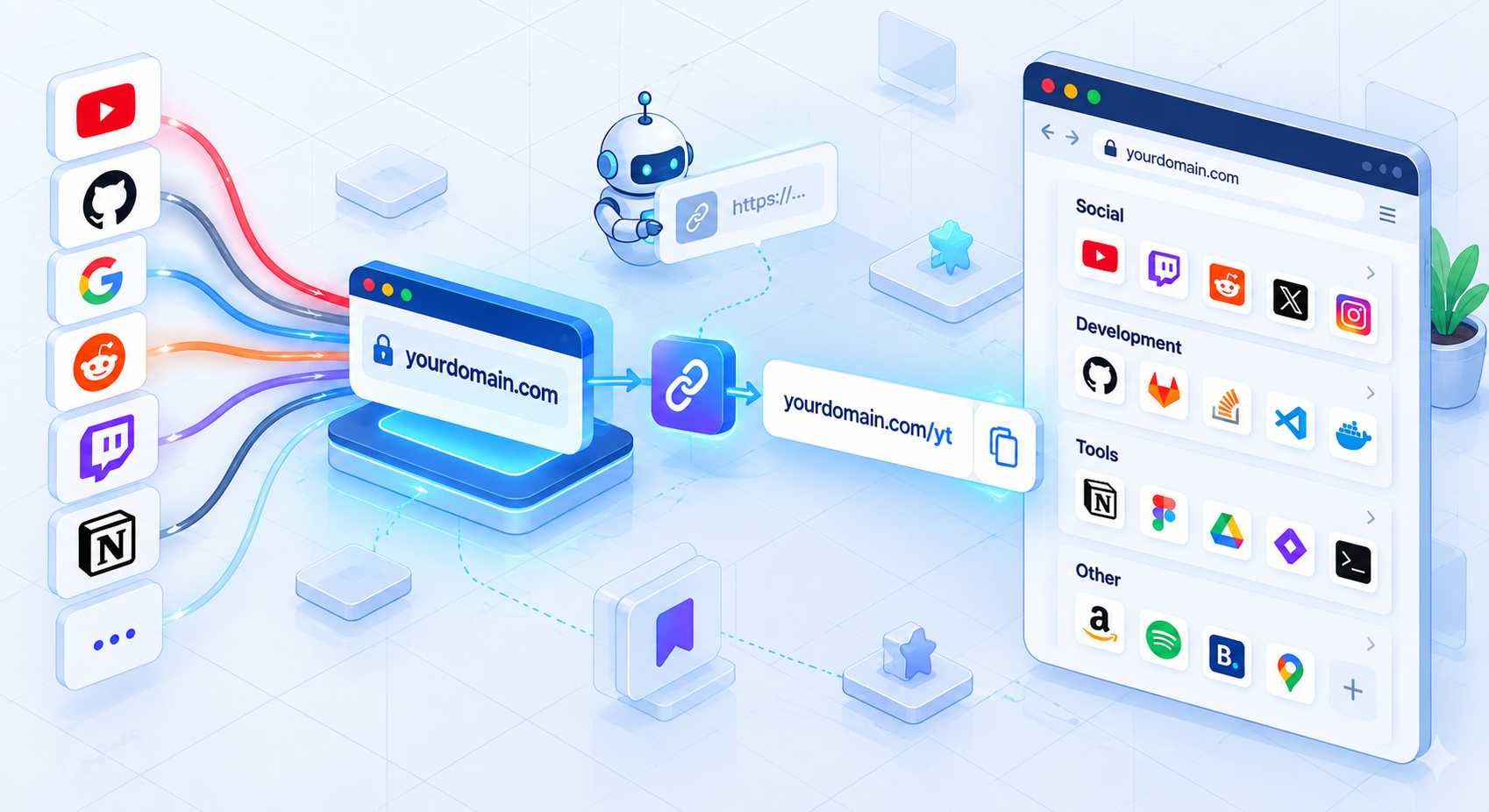
I created a subdomain, link.mattao.net, and decided that every destination should have a short, memorable path.
For example, instead of remembering the full URL of my GitHub profile, I can use link.mattao.net/github.
Cloudflare handles the redirect through a Bulk Redirect List, I only need to define the short path and its destination. If I ever change the destination, I update the redirect once and the short link keeps working.
This solved the first problem: I no longer have to remember the different URLs created by different platforms. I only need to remember my own short link.
The second problem needed a slightly different solution. After creating twenty short links, I would eventually forget which name I had assigned to each one. I did not want to use long, complicated slugs just because they were easier to remember later.
So I created a small homepage at link.mattao.net. It shows all my links, grouped into categories. I can open the page from any device, click the link I need, and let the short link take care of the final redirect.
It is basically a personal bookmark page, but without tying it to a browser or a specific device.
Tip: I use this page so often that I gave it one extra F1 corner: a small card at the top, showing the date and start time of the next race. The data comes straight from the OpenF1 API.
The source of truth is a YAML file
The page is hosted on a GitHub repository connected to Cloudflare Pages. The links are stored in a YAML file, so adding a new one is just a matter of adding a few lines:
links:
  - category: Social
    items:
      - name: YouTube
        slug: youtube
        icon: youtube.svg

      - name: Twitch
        slug: twitch
        icon: twitch.svg

  - category: Tools
    items:
      - name: JSON Formatter
        slug: jsonform
        icon: jsonform.svg

      - name: Coolors
        slug: coolors
        icon: color.png
The name is what appears on the page, the slug becomes the short path, and the icon adds a little visual cue next to the link. If an icon is missing, the page falls back to a generic link symbol.
This is one of those cases where a small data file works better than a database. I can read it, edit it quickly and keep the whole list version-controlled.
From a local edit to a published page
The repository has two branches. I work on main, while deploy is the branch Cloudflare Pages publishes.
Whenever I push to main, GitHub Actions synchronizes the commit to deploy. Cloudflare then detects the update and publishes the new version automatically.
The workflow is intentionally simple:
name: Sync deploy branch

on:
  push:
    branches:
      - main
  workflow_dispatch:

jobs:
  sync:
    runs-on: ubuntu-latest
    steps:
      - uses: actions/checkout@v4
        with:
          fetch-depth: 0

      - name: Push deploy branch
        run: |
          git config user.name "github-actions[bot]"
          git config user.email "41898282+github-actions[bot]@users.noreply.github.com"
          git switch -C deploy "$GITHUB_SHA"
          git push origin deploy --force
So the whole process is:
edit YAML
    -> push to main
    -> sync to deploy
    -> Cloudflare Pages publishes the update
I do not need to open a dashboard every time I add a bookmark. I edit the file, push it, and the updated page appears a few minutes later.
A small system that fixes an annoying problem
This is not a revolutionary project. It is just a custom domain, a few redirects, a static page and a small deployment workflow.
But it fixed something that was surprisingly annoying. My links now have a consistent home, my bookmarks are available from anywhere, and I can change the destination without changing the address I share with other people.
Sometimes the best personal systems are not the most sophisticated ones. They are the ones that quietly remove a problem you keep having.
Need help setting up your own link hub? Or do you simply want to talk about this topic? Send me an email at personalshortlinkspost@mattao.net 😉