FIELD NOTE // WHATSAPP AUTOMATION
05 - Whatsapp Automation
The Whatsapp Challenge
In this project, I managed to automate 99.9% of the workflow using professional cloud tools. However, one final hurdle remained: WhatsApp.
The Problem
Automating WhatsApp it’s a bit difficult if you try to limit the budget. Official APIs (like Twilio or Business API) require high monthly fees, and most “free” tools have severe limitations or lack the specific features I needed.
The Solution
To bypass these costs, I developed a workaround using iOS Shortcuts. This allowed me to trigger native WhatsApp actions directly from an iPhone, instead of using a cloud tool.
1. Community Party Messages
The goal was to mirror the Telegram updates onto WhatsApp Channels. Since Make.com couldn’t talk to WhatsApp for free, I created a bridge:
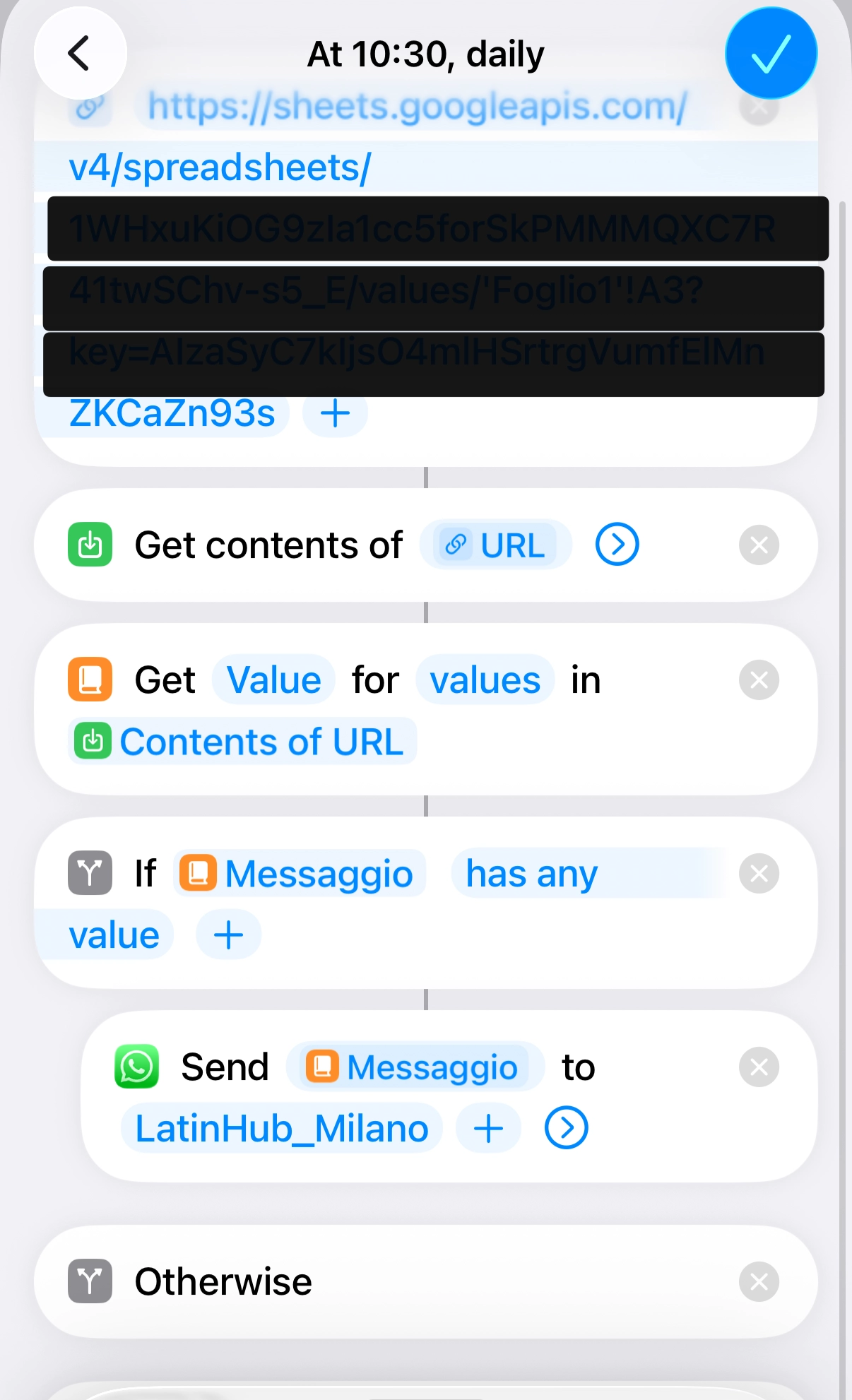
- The Bridge: I set up a public Google Sheet that extracts the “Party Message” from the main database. This is because our main DB it’s not public, and for this to work we needed a public spreadsheet.
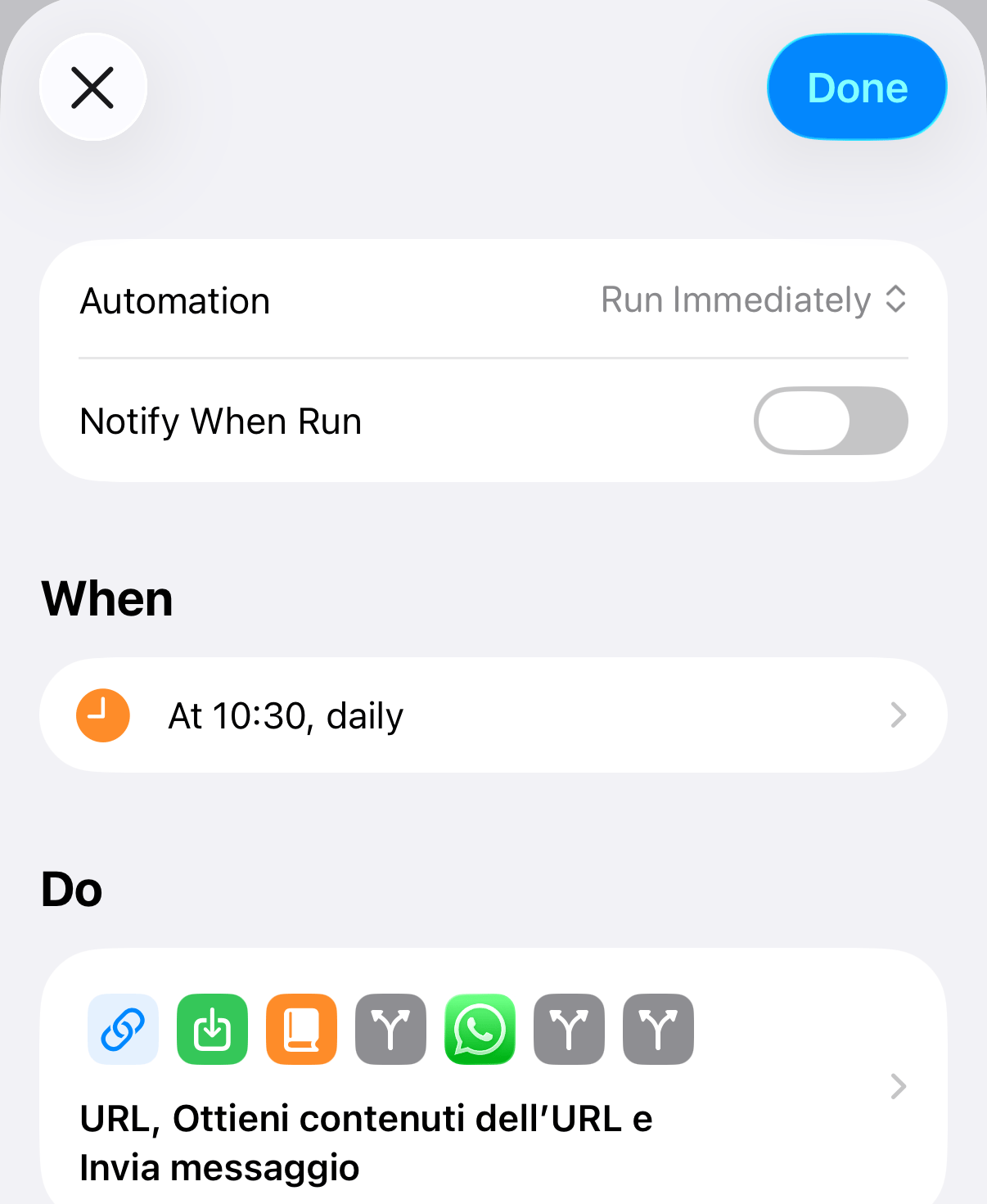
- The Trigger: Every day at 10:30 AM, an iOS Shortcut runs on my phone.
- The Logic: The shortcut fetches the data from the public Google Sheet, checks if the “Message” cell is filled (meaning there is at least one party), and automatically sends the text to the correct WhatsApp Channel for each city.
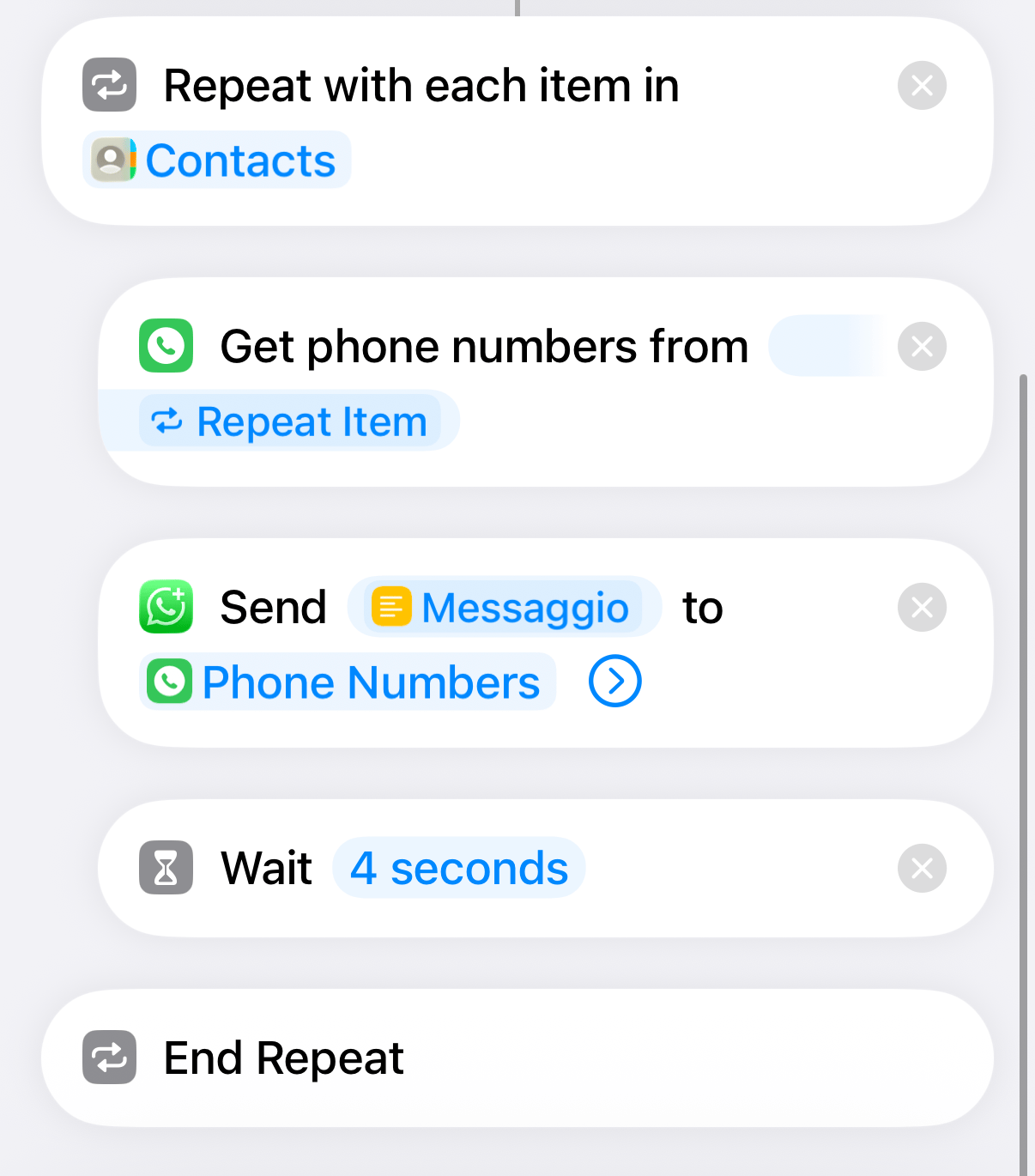
This is the automation
2. The Smart Reminder System
SMMs and Club Managers are busy people, and forgetting to upload flyers was a frequent issue. I built an automated “Reminder” system to keep them active:
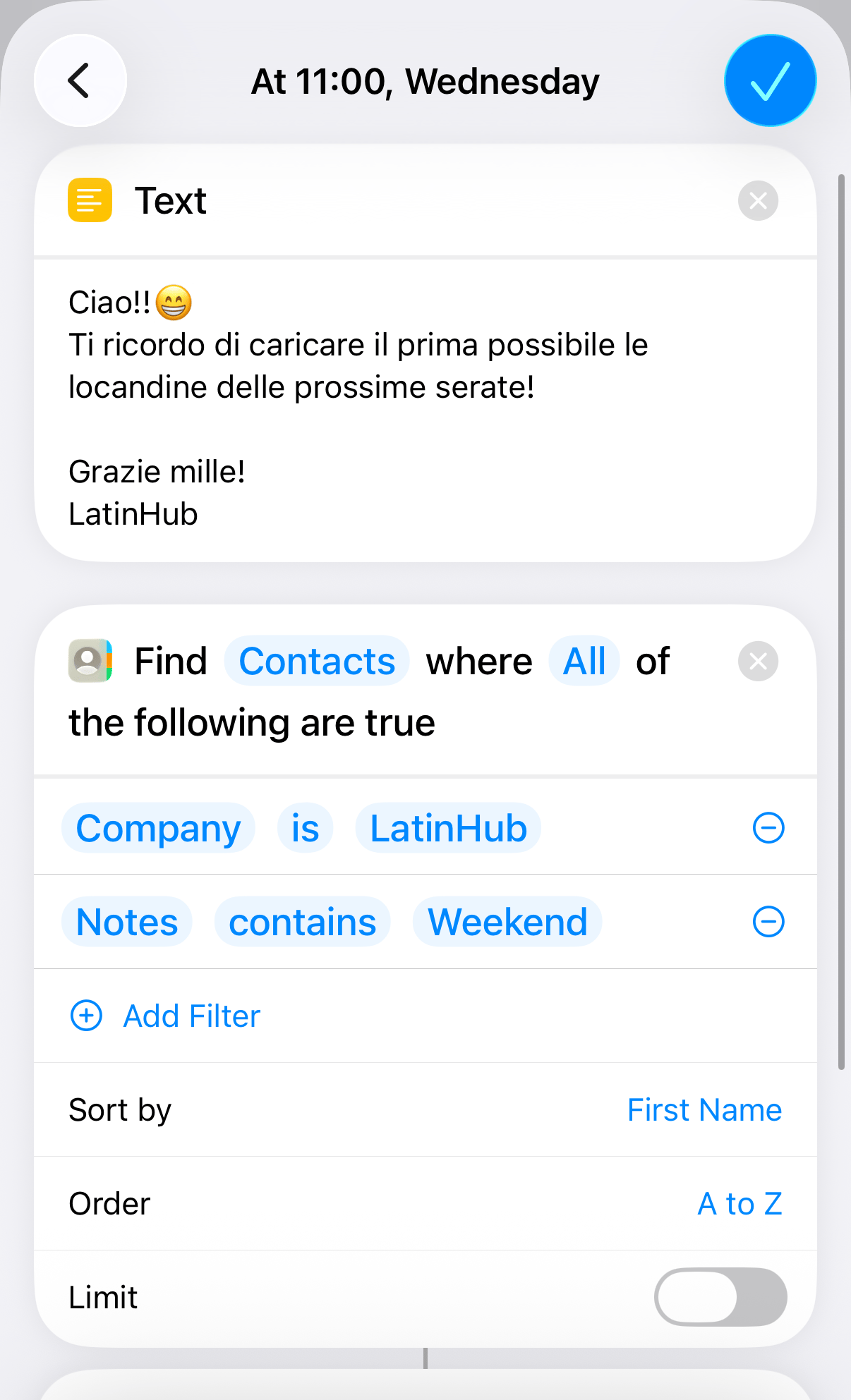
- The CRM Setup: I organized all SMM contacts in my phone under the company “LatinHub”. In the “Notes” field of each contact, I added tags:
Week,Weekend, orBoth. - The Monday Slot: At 11:00 AM, a shortcut filters all “LatinHub” contacts tagged with
Weekand sends them a personalized reminder to upload their mid-week flyers. - The Wednesday Slot: At 11:00 AM, the same logic runs for contacts tagged with
Weekend, ensuring the Friday, Saturday and Sunday assets are ready for the 7.00 PM sync.
🚨
Sometimes this reminder doesn’t work, especially during Wednesday reminders since there are lot of messages to be sent, but since it’s just a reminder, it doesn’t matter too much.
This is the automation
Pros & Cons of the “Shortcuts” Approach
- PROs: Completely free, uses native encryption, and allows for highly personalized messaging without API overhead.
- CONs: Requires the device to be powered on and connected to the internet. It lacks the 100% “server-side” reliability, but for this specific use case, it works perfectly.
The Win
By leveraging iOS Shortcuts as a “Middleware,” I ensured that the community stays informed and the contributors stay on track. This turned a potential “manual nightmare” into a scheduled, hands-free routine that runs while I’m starting my day.