FIELD NOTE // DEVOPS
My Home Lab: From a Raspberry Pi to a Mini PC
It started with fewer ads
I started my home lab with a very simple goal: block ads and telemetry on the devices connected to my home network.
At the beginning, it was a single container running on a Raspberry Pi 3 with 1 GB of RAM. A few ideas later, it had become a small infrastructure running on an 8-core Mini PC with 16 GB of RAM and two 2 Gbps network ports.
The hardware grew, but the original idea stayed the same: build useful services for myself, keep them under control and learn something while doing it.
The first step: Pi-hole
At the end of summer 2026, I was becoming increasingly aware of how much unnecessary traffic my devices were generating. Web pages were full of advertising, and I had little visibility into the telemetry sent by my laptop, TV and smartphone.
My first change was simple. I replaced the standard DNS servers configured on my home router with Quad9, which immediately gave me a more privacy-focused starting point.
But I soon wanted more control. I did not only want to use someone else’s DNS service; I wanted to decide which domains should be blocked or allowed on my own network.
After talking with my friend Thomas, I learned about Pi-hole. I bought a Raspberry Pi 3 on Vinted, installed Debian, deployed Pi-hole in a container and, in less than thirty minutes, had my own internal DNS server and ad-blocking system running.
I then imported updated blocklists and regular expressions from Steven’s Pi-hole lists. The original project was complete: ads and telemetry were being filtered at network level, before reaching my devices.
Of course, that was also the moment when the next idea appeared.
If I could block traffic at home, how could I keep the same protection while using my phone outside the house? And since I was already running something useful, why not add a way to monitor my internet connection as well?
The Pi started collecting ideas faster than it could handle them. After about two days, its 1 GB of RAM was no longer enough for what I wanted to run.
Moving to a Mini PC
I eventually sold the Raspberry Pi and bought a Mini PC with an 8-core processor, 16 GB of RAM and two 2 Gbps network ports. That became the foundation of the home lab I am still expanding.
Instead of installing Debian directly on the hardware, I decided to use virtualization. I wanted to keep services separated, make backups easier and avoid having one failed application affect everything else.
I installed Proxmox, an open-source virtualization platform that lets me run both lightweight containers and full virtual machines on the same host.
Most of my services run inside Debian LXC containers. LXC containers share the host kernel, so they need far fewer resources than a full virtual machine while still giving each service its own environment. Home Assistant is the exception: it runs as a full virtual machine because it uses its own operating system.
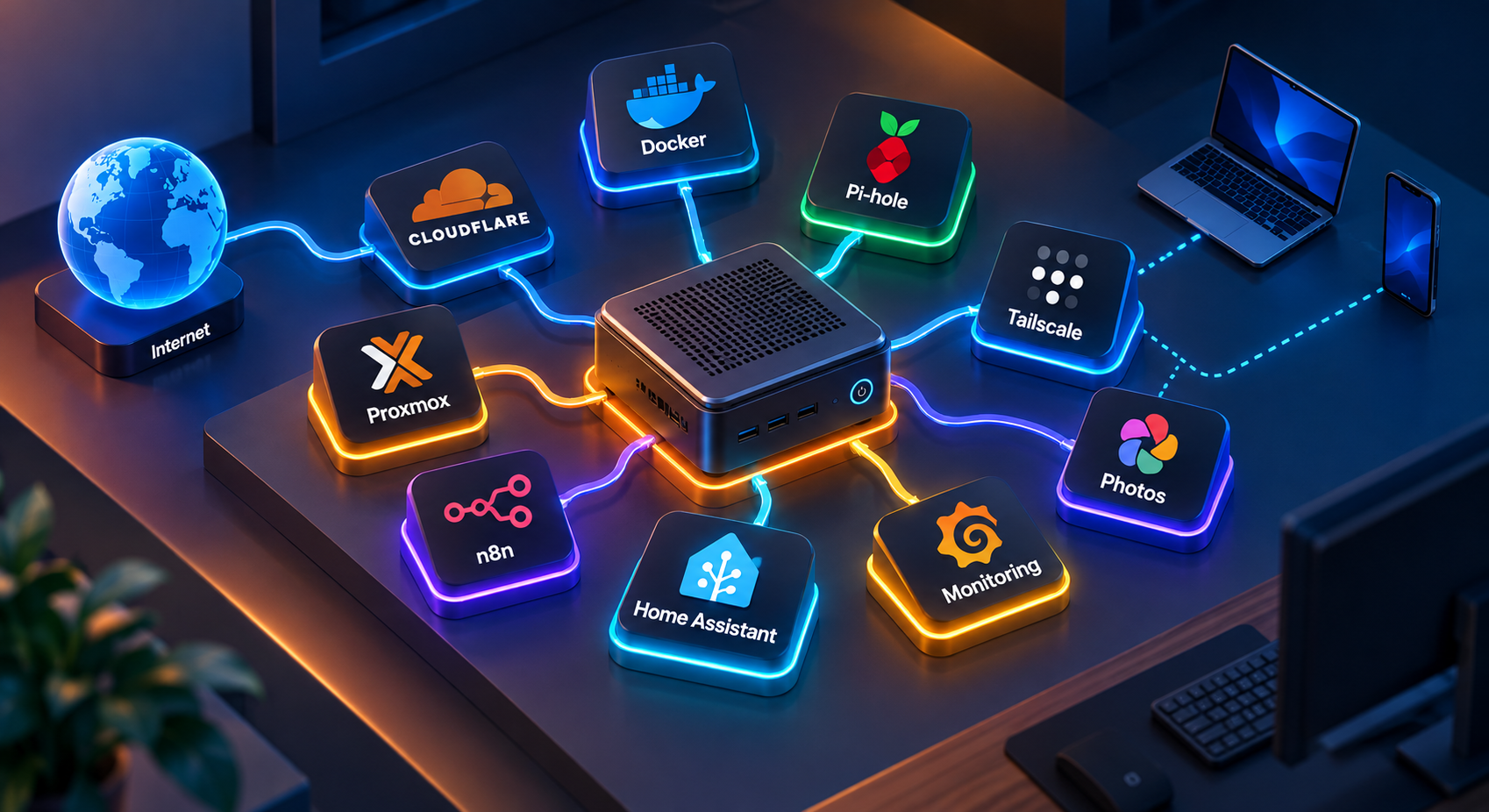
The current layout looks like this:
| Instance | Type | Purpose |
|---|---|---|
| Docker | Debian LXC | Docker containers and my working environment |
| Monitoring | Debian LXC | Monitoring tools for the infrastructure |
| Foto | Debian LXC | Personal photo storage |
| n8n | Debian LXC | Automation workflows |
| Tailscale | Debian LXC | VPN and remote access to my home network |
| Home Assistant | Virtual machine | Smart home services and its dedicated operating system |
This separation gives me room to experiment without turning the entire Mini PC into one large, difficult-to-maintain installation. If I need to move a service, restore a backup or troubleshoot a problem, I can focus on one container instead of rebuilding the whole server.
A small infrastructure that keeps growing
What started as a Pi-hole installation is now a collection of services with different jobs: network filtering, monitoring, storage, automation, remote access and home automation.
The interesting part is not the size of the hardware. It is the way a small practical problem can lead to a much bigger system. First I wanted fewer ads. Then I wanted control over DNS. Then remote access, monitoring, automation and a place to run everything.
This post is the overview of the lab. I will use separate articles to describe the individual services, why I chose them and how I use them in practice.
Need help setting up your own home lab? Or do you simply want to talk about this topic? Send me an email at myhomelabpost@mattao.net 😉